How to Use k.ride in Korea: Signup, Payment and Pickup
To use k.ride in Korea, finish signup and payment setup before you need a taxi. Then enter the exact destination, confirm a safe pickup point and review the fare and vehicle details. Overseas-card support does not guarantee approval for every card, so check your available method and keep a backup plan.
Last verified: October 11, 2026 · Official sources checked for this update. Service details, eligibility and app interfaces may change.
What k.ride offers
Kakao Mobility says k.ride supports app use in English, Japanese, Simplified Chinese and Traditional Chinese, while destination search and chat can handle more than 100 languages. The company also offers advance taxi reservations in Korea for foreign visitors.
Before booking: three checks for visitors
Payment: Open the payment settings and confirm that your preferred overseas-issued card is accepted before requesting a taxi. Availability and authorization can vary by issuer.
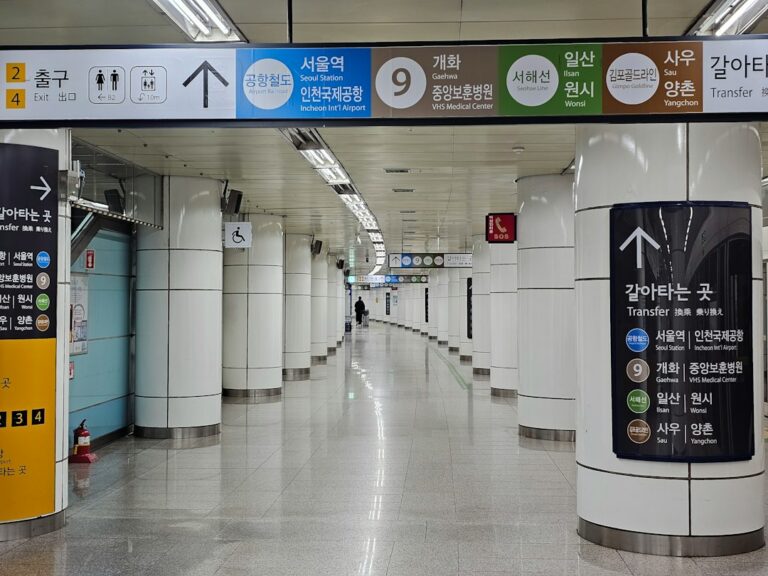
Pickup: At an airport, station or large shopping complex, use the exact terminal, floor and exit shown in the app. Compare the pickup pin with local signs before confirming.
Backup: If signup, payment or dispatch fails, use an official taxi stand or compare public transport. Do not assume an unconfirmed ride request has been cancelled; check its status first.
How to request a taxi
- Install k.ride and create your account.
- Allow location access while using the app.
- Enter your destination in your preferred language.
- Confirm the pickup pin carefully, especially at large stations or malls.
- Review the estimated fare and vehicle option.
- Request the ride and check the vehicle details before boarding.
Vehicle options
The k.ride site lists options such as Standard, Comfort/minivan, Deluxe and Luxury, although availability depends on location and time. A standard taxi is sufficient for most travelers; groups with large suitcases should check vehicle capacity before booking.
Can you reserve in advance?
Yes. Kakao Mobility says foreign visitors in Korea can reserve a taxi for a selected time and place. This can be useful for an early airport departure, but always review the reservation details and cancellation terms in the app.
Language advantage
One of the biggest benefits is that you can search a destination in your language and use multilingual chat support. Even so, checking the Korean venue name in NAVER Map is a good backup for hotels or restaurants with multiple branches.
Payment tips for foreign visitors
Payment methods shown to you can depend on country, app version and card. Add your available payment method before you urgently need a taxi. Keep a physical card or some cash as backup in case an app payment fails.
Airport use
For Incheon Airport, you can also use the official taxi stands. The airport warns travelers to use designated taxi stands rather than accepting illegal solicitation. If you are arriving late at night, compare a taxi with the airport’s official night-bus routes.
FAQ
Is k.ride the same as Kakao T?
It is powered by Kakao Mobility but positioned as the global service for international travelers.
Can I search destinations in English?
Yes. Kakao Mobility explicitly supports multilingual destination search.
Can I see an estimated fare?
The official k.ride service says an estimated fare can be checked before calling a taxi.
Payment and pickup: avoid last-minute problems
Kakao Mobility lists overseas-issued cards and supported mobile payment options. Check which options appear in your own account and whether your bank approves the card. A successful signup is not proof that payment has been set up.
- Confirm the airport terminal or station exit before placing the pickup pin.
- Stand where the driver can legally stop and where you can safely reach the car.
- Compare the number plate with the app and show the destination if needed.
- Check whether your booking uses automatic payment. If payment appears to fail, inspect the receipt and use app support before paying again.
- For a reservation, read the vehicle capacity, pickup instructions and cancellation terms before confirming.
An estimated fare is a planning aid. Vehicle class, tolls and the booking product can affect the final charge; use the fare explanation shown for your request. A physical card or cash is a fallback for arranging another taxi, not permission to assume an automatic-payment booking can be settled twice.
Finish setup before a time-critical pickup
Before your flight or hotel departure, check your account access, available payment method and the exact destination pin. Save the Korean address from NAVER Map; a branch name alone may not identify the right entrance.
If setup fails, compare other taxi-app options or the airport train and bus alternatives. Review the existing request’s status and cancellation terms before placing another booking. Keep the payment-backup guide available.
Kakao Mobility’s official service description, checked October 18, 2026 (KST), lists Google, Apple and email signup and overseas-issued card support. Individual card approval and vehicle availability still need to be checked for your booking.
Related guides
- Korean phone numbers for tourists
- Getting language help in a taxi
- Payments and backup options in Korea
Official and primary sources
Korea Practical Guide is an independent information website and is not affiliated with the organizations or apps mentioned above.